Globalement très content de Linux (Mint) depuis environ 1 an.
Par contre, dès que plusieurs accès disque simultanés sont en cours (SSD local ou réseau), les perfs s'écroulent, les gestionnaires de fichiers (Nemo ou Thunar) se figent, c'est vraiment pénible.
Pas trouvé de solution pour le moment.
[edit]
A la lecture du doc, le schefuler "bfq" serait une piste.
Explore comprehensive strategies to improve disk IO performance, from optimizing kernel parameters to leveraging virtualization tools. Unlock the full potential of your system and achieve faster, more efficient disk operations.
This is silly, but Google OAuth2 fails at the last step (after clicking "Allow") if a local web server is running (on localhost I guess). Workaround is to stop the web server during the OAuth2 process -- you can then restart it just fine.
I got bitten by this with several Google calendars I use for work, for which I guess the OAuth2 token expired recently. Subsequently I got spammed with authentication requests, and my calendars stopped working properly.
The OAuth2 flow only showed the final "Allow" part, but clicking on it redirected me to my company's homepage. This added to the confusion, because the Google account I use uses my company's email, so my first guess was that the OAuth2 flow incorrectly assumed it had to finish on the email domain's website (or using some missing DNS records from it). But actually it was just my local webserver performing the redirection, but as I had set it up recently to work on my company's website, it was quite confusing -- especially as it redirected to the actuel website, for which I had a temporary local DNS entry when I worked on it last month.
I ended up messing up with TB cookies, vainly trying to finish the OAuth2 flow using cURL (I didn't document myself on the flow, and was pessimistic I could do so without a proper OAuth2 client anyway -- but I had a set of query parameters on the incorrect redirection so I guessed that just maybe if the query was made to the right place it might give me the One cookie I needed), and even trying to re-add some calendars, but nothing helped -- obviously.
Anyway, I have no clue why TB does this, but I luckily finally found this QA post when I was about to ask out of sheer despair -- not sure why I didn't find if before, maybe my queries were a bit too specific and this one didn't show up.
Avec le Raspberry Pi 500+, la fondation Raspberry Pi franchit une nouvelle étape : un véritable ordinateur tout-en-un qui associe la puissance d’un Raspberry Pi 5 à un clavier mécanique rétroéclairé. Doté de 16 Go de RAM, d’un SSD NVMe de 256 Go et d’une connectique complète, il se positionne comme une alternative compacte et […]
Lorsque le système Garuda Linux ne démarre plus correctement (problème de GRUB, kernel corrompu, initramfs endommagé, etc.), l’une des solutions les plus efficaces est d’utiliser un Live USB pour accéder à vos partitions et corriger le système via un chroot. Monter un chroot d’une partition chiffrée avec LUKS depuis un Live USB Garuda Linux Si, […]
J'ai pu migrer un pc "non compatible" windows 11, vers windows 11, sans utiliser de support amovible.
Préférez linux (debian, ubuntu, mint, whatever) mais si vous n'avez pas le choix/l'envie, ce tuto juste marche :)
Je zyeute MediUX depuis très longtemps mais le côté « Faut parcourir le site, télécharger le .zip, l’importer dans mon lecteur, l’appliquer » m’avait clairement rebuté dès les… 52 premières secondes.
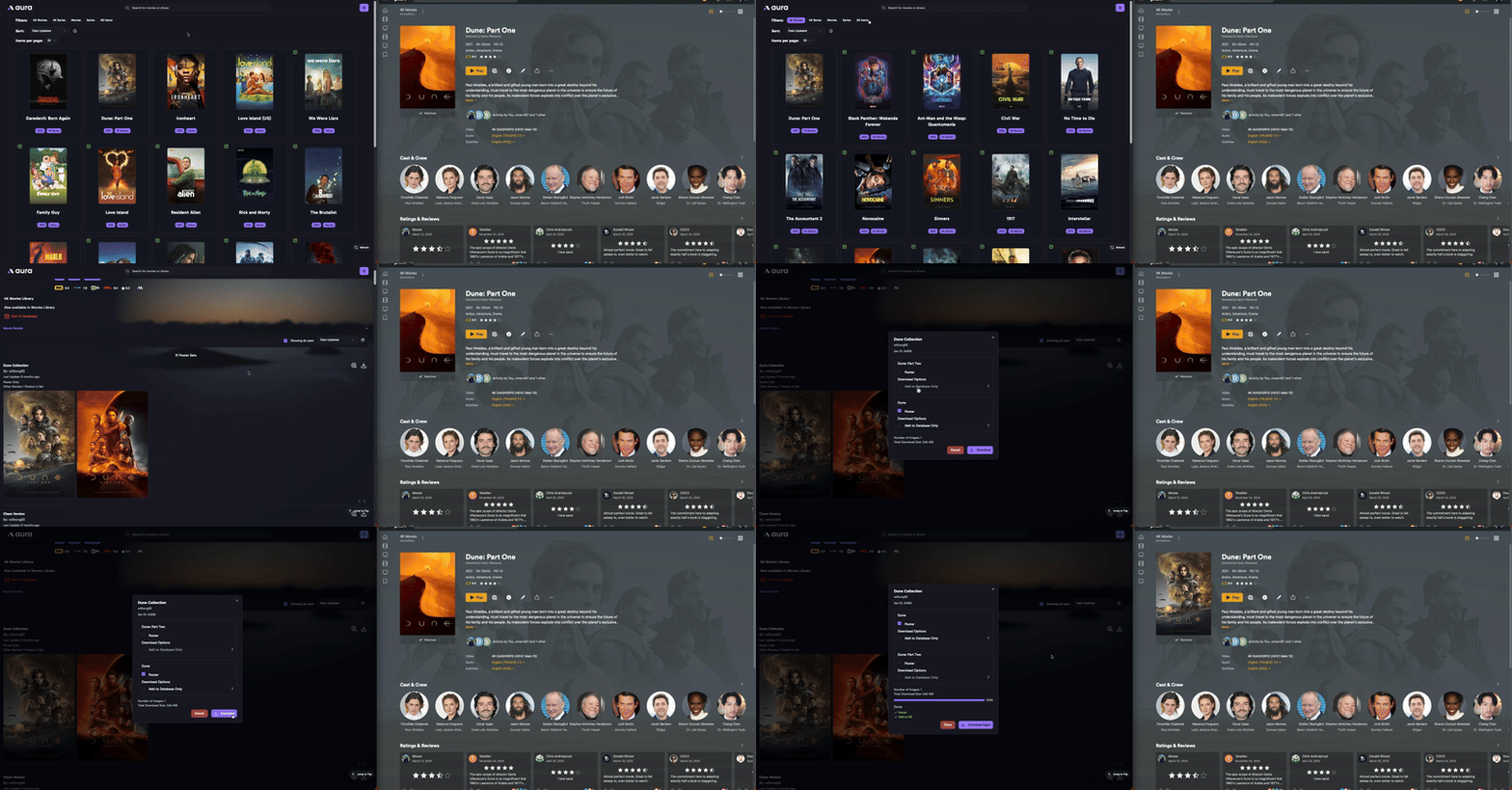
L’équipe derrière MediUX propose l’outil Aura, encore en early stage donc on utilise tous une unique clé API de « test », qui permet de parcourir les sets liés à ses bibliothèques via une WebUI.
Ne reste qu’à choisir un set et l’appliquer de suite via un clic ou le prévoir pour une mise à jour automatique en cron. Et on peut en plus lui indiquer de surveiller les MàJ du set sélectionné pour les appliquer.
Si on peut l’intégrer à Kometa, en revanche pour Aphrodite il faut bien veiller à faire mouliner Aura puis ensuite Aphrodite pour les overlays. Comme vous le verrez plus bas, Aura se lance à minuit chaque jour alors qu’Aphrodite est lancé chaque heure. Au pire, il n’y a plus aucun overlay entre minuit et 1h du matin, « pas grave ».
Cet outil se destine aux amateurs de beaux visuels et de personnalisation. Malgré un maximum d’automatisation, rien ne pourra remplacer l’action de parcourir ses contenus et, pour chaque, de parcourir à leur tour les embellissements disponibles pour ensuite les appliquer.
Merci TiMac pour la belle découverte !
Compatibilité multi-serveurs : fonctionne avec Plex, Emby et Jellyfin.
Navigation visuelle : prévisualisez les visuels dans une interface claire et organisée.
Mises à jour automatiques : enregistrez les ensembles d’images choisis et gardez-les synchronisés automatiquement.
Stockage local : possibilité d’enregistrer les images à côté de vos fichiers multimédias pour un accès facile.
Support Docker : déploiement simple avec Docker ou docker-compose.
Le docker-compose est à récupérer localement et on peut l’éditer rapidement pour l’adapter
services:
  aura:
    image: ghcr.io/mediux-team/aura:latest
    container_name: aura
    restart: always
    ports:
      - 3064:3000 # Web UI PORT
      - 8888:8888 # API PORT
    volumes:
      - /home/aerya/docker/aura:/config
      - /mnt/Bibliothèques/:/data/media
    labels:
      - com.centurylinklabs.watchtower.enable=true
Avant de le lancer il convient de faire de même avec le fichier de configuration. Son remplissage est déterminant pour le fonctionnement d’Aura. Les paramètres ne sont en effet pour l’instant accessibles qu’en lecture seule via l’interface. Vous pouvez vous aider de la documentation mais c’est pas compliqué.
Voici le mien pour Jellyfin, avec 2 bibliothèques, SANS authentification (derrière Authelia chez moi), avec notifications Discord. Si vous voulez utiliser un mot de passe, il devra être hashé. Il faudra une clé API Jellyfin (ou un token Plex) et une clé API (pas le token) TMDB. Le cron servira pour la MàJ auto (si sélectionnée) des sets, on voit ça plus bas.
# Configuration Sample - aura
# For full documentation, see: https://mediux-team.github.io/AURA/config

# This file should be located in /config on the docker container

# Auth - Configuration for authentication
# This is used to configure the authentication for the application.
#   Enable - Whether to enable authentication or not.
#   Password - The Argon2id hashed password for the user.
Auth:
    Enable: false
    Password: $argon2id$v=19$m=12,t=3,p=1$Z3k1YnkwZzh5OTAwMDAwMA$lJDoyKZy1BMifB1Mb2SWFQ

# CacheImages - Whether to cache images or not. Caching images can improve performance but will use more disk space.
CacheImages: true

# SaveImageNextToContent - Whether to save images next to the Media Server content or not.
#   If set to true, images will be saved in the same directory as the Media Server content.
#   If set to false, images will still be updated on the Media Server but will not be saved next to the content.
#   The benefit of this is that you have local images that are not dependent on the Media Server database in case of migration.
#   If you are using Emby or Jellyfin, this option being set does not matter. This is determined by Emby or Jellyfin.
#   If you are using Plex, this option will determine if the images are saved next to the content or not.
SaveImageNextToContent: false

# Logging - Configuration for logging
#   Level - The level of logging. Can be one of: TRACE, DEBUG, INFO, WARNING, ERROR
Logging:
    Level: DEBUG

# AutoDownload - Configuration for auto-downloading images
#   Enabled - Whether to enable auto-downloading of images or not.
#     You have the option when selecting a set to save it to the database.
#     This will look for updates to the set and download them automatically.
#   Cron - The cron schedule for auto-downloading images. This is a standard cron expression.
#     For example, "0 0 * * *" means every day at midnight
AutoDownload:
    Enabled: true
    Cron: "0 0 * * *"

# Notifications - Configuration for notifications
#   Enabled - Whether to enable notifications or not.
#   Providers - A list of notification providers to use. Currently supported providers are:
#     - Discord
#     - Pushover
# You can set multiple providers at the same time. aura will send notifications to all. You also have the option to enable each provider. This gives you flexability to turn off the ones that you don't want to use.
# When provider is Discord, you must set the Webhook URL
# When provider is Pushover, you must set the Token and UserKey
# Sample:
#   - Provider: "Pushover"
#     Enabled: true
#     Pushover:
#         Token: your_pushover_token
#         UserKey: your_pushover_user_key
#   - Provider: "Discord"
#     Enabled: true
#     Discord:
#         Webhook: your_discord_webhook_url
Notifications:
    Enabled: true
    Providers:
      - Provider: "Discord"
        Enabled: true
        Discord:
            Webhook: "https://canary.discord.com/api/webhooks/xxx"
      - Provider: "Pushover"
        Enabled: false
        Pushover:
            Token: your_pushover_api_token
            UserKey: your_pushover_user_key

# MediaServer - Configuration for your Media Server
#   Type - The type of Media Server. This can be one of: Plex, Jellyfin, Emby
#   URL - The URL of the Media Server. This should be the IP:Port of the Media Server or your Media Server reverse proxy domain.
#   Token - The token for the Media Server. This can be found in the Media Server web interface.
#   Libraries - A list of libraries to scan for images. Each library should have the following fields:
#     - Name: The name of the library to scan for content. Please note that this application will only work on Movies and Series libraries.
#   SeasonNamingConvention - The season naming convention for Plex. This is a Plex exclusive requirement. This can be one of: 1 or 2. This will default to 2
#     1 - Season 1  (non-padded)
#     2 - Season 01 (padded)
MediaServer:
    Type: "Jellyfin" # The type of Media Server. This can be one of: Plex, Jellyfin, Emby
    URL: https://jelly.domaine.tld:443
    Token: xxx
    Libraries:
        - Name: "Films"
        - Name: "Séries"
#        - Name: "4K Movies"
#        - Name: "4K Series"
#    SeasonNamingConvention: 1 # This is a Plex exclusive requirement. This is the season naming convention for Plex. This can be one of: 1 or 2

# Kometa - Configuration for Kometa
#   RemoveLabels - Whether to remove labels or not. This will remove all specific labels from the Media Server Item.
#   Labels - A list of labels to add to the Media Server Item. This will be used to identify the item in the Media Server.
#   This is also a Plex exclusive requirement. This will only work on Plex.
Kometa:
    RemoveLabels: false
    Labels:
        - "Overlay"


# TMDB - Configuration for TMDB (The Movie Database) This is not used yet.
#   ApiKey - The API key for TMDB. This can be obtained by creating an account on TMDB and generating an API key.
TMDB:
    ApiKey: xxx

# Mediux - Configuration for Mediux
#   Token - The token for Mediux. This can be obtained by creating an account on Mediux and generating a static token.
# !!!! NOTE: This is not yet available to the public. It is currently in development and will be available in the future.
#       If you would like to test this app, you will need a MedUX. You can contact us on Discord to get access.
#   DownloadQuality: The quality of the images to download. Options are: "original" or "optimized"
Mediux:
    Token: N_l1upAQrVJ05J6Fwjz89HEoo348l1u-
    DownloadQuality: "optimized"
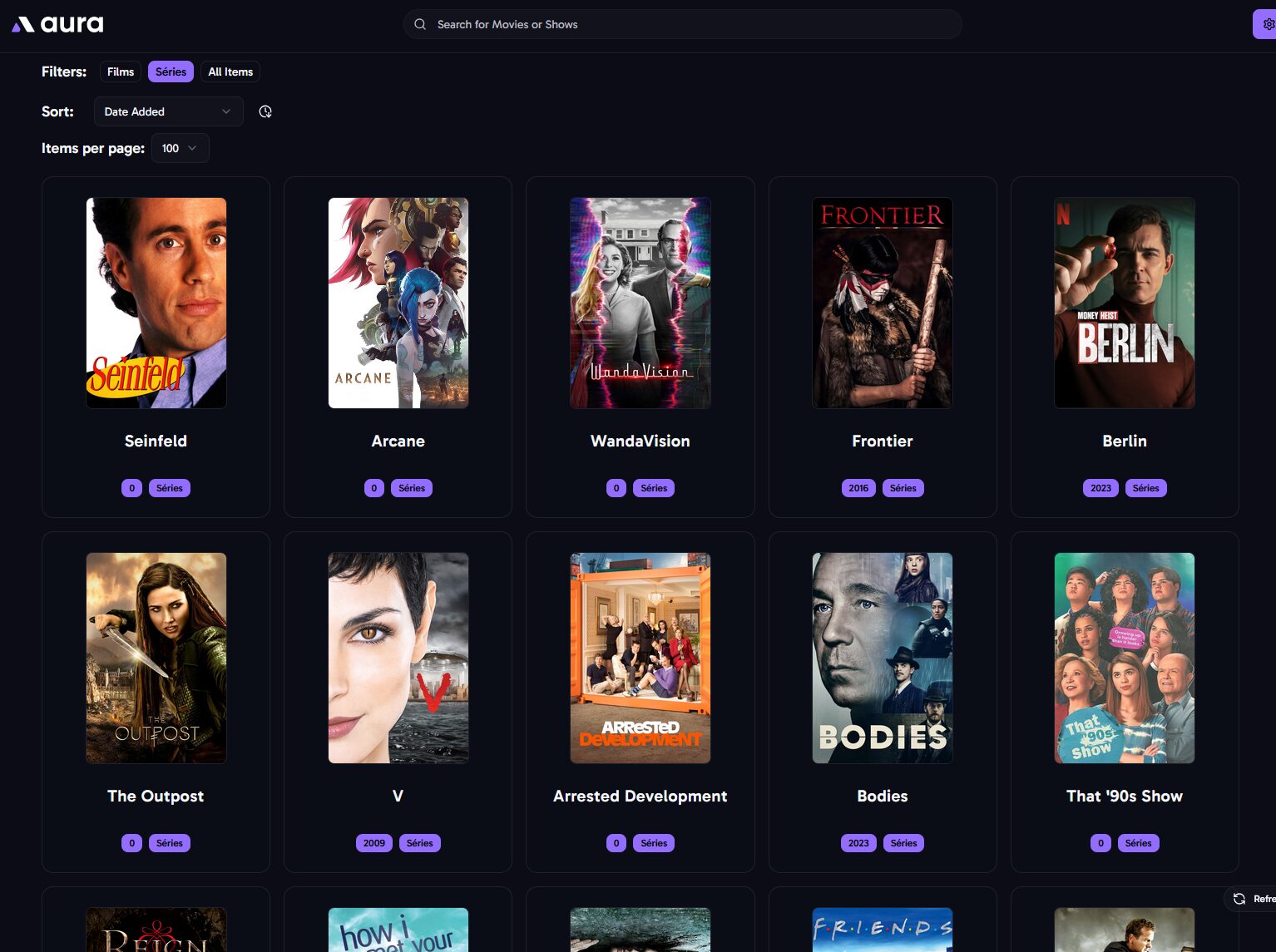
Une fois lancé ça indexe nos contenus globaux ou par bibliothèque, avec un minimum de tri. Et ça ffiche les posters actuels. Aphrodite n’est pas encore passé mettre des overlays.
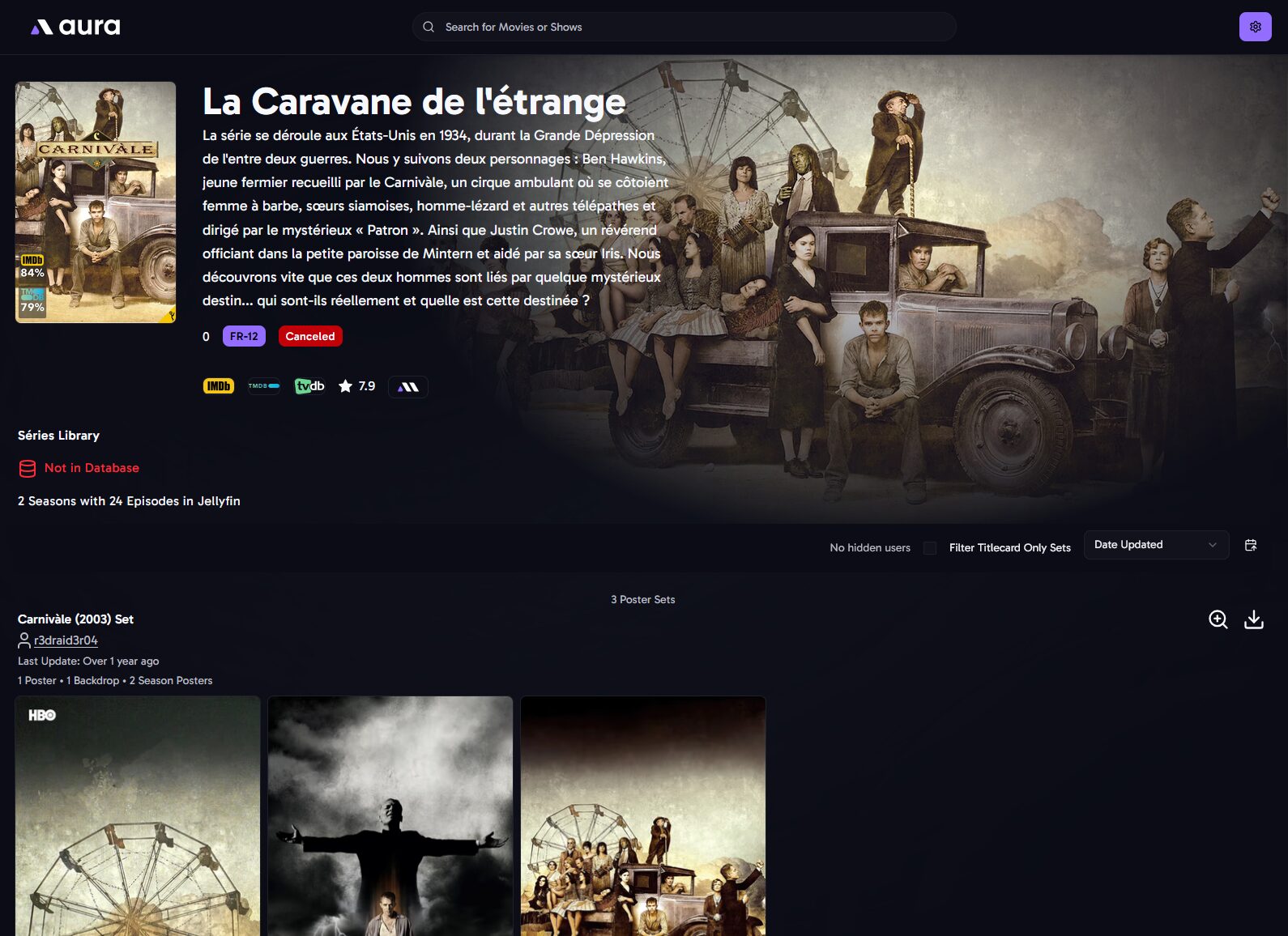
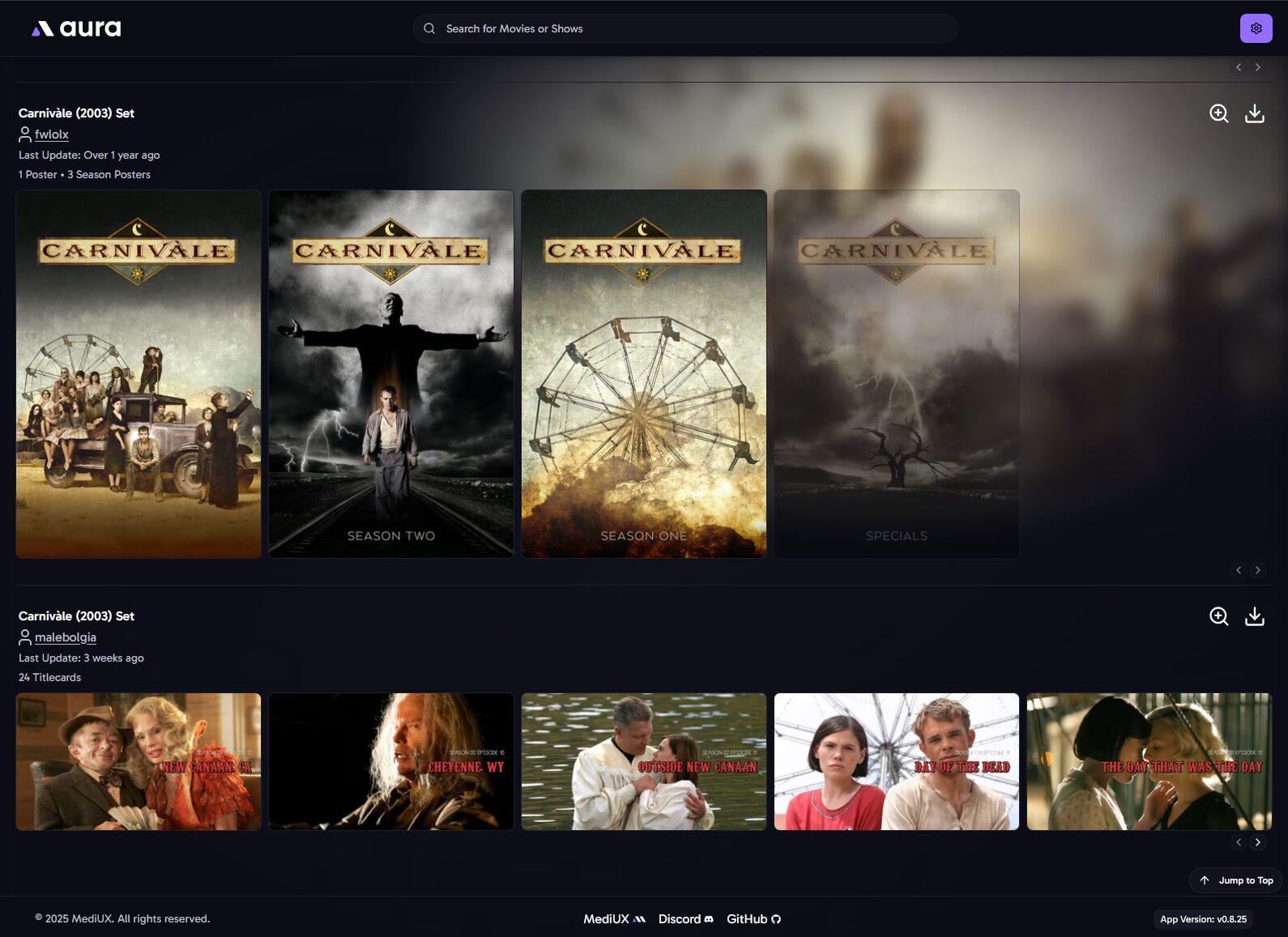
De là on peut sélectionner 1 film ou 1 série et parcourir les sets MediUX tout en visualisant le poster actuel. En l’occurrence, pour Carnivàle j’ai le choix entre 3 sets. C’est pas foufou MAIS des gens ont pris le temps de les réaliser et partager sur MediUX alors merci à eux.
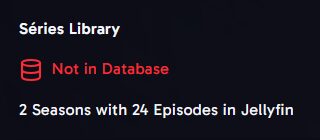
Aura indique si c’est ou non déjà en base de données
Tout est expliqué et détaillé dans la documentation (en anglais, mais on est en 2025, donc go les d’jeuns ! – je suis de 73- ).
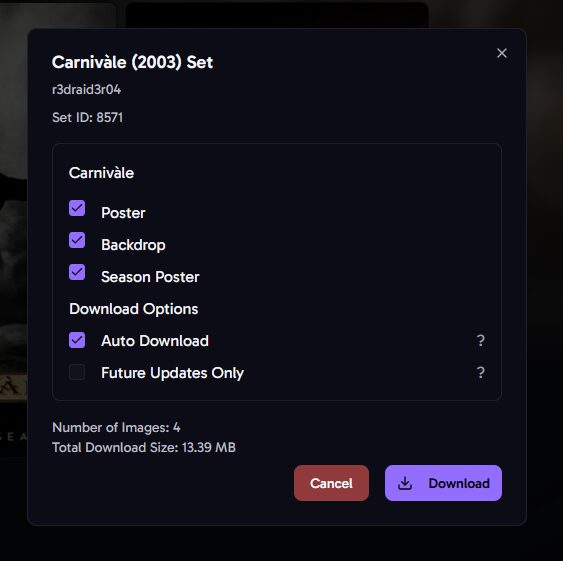
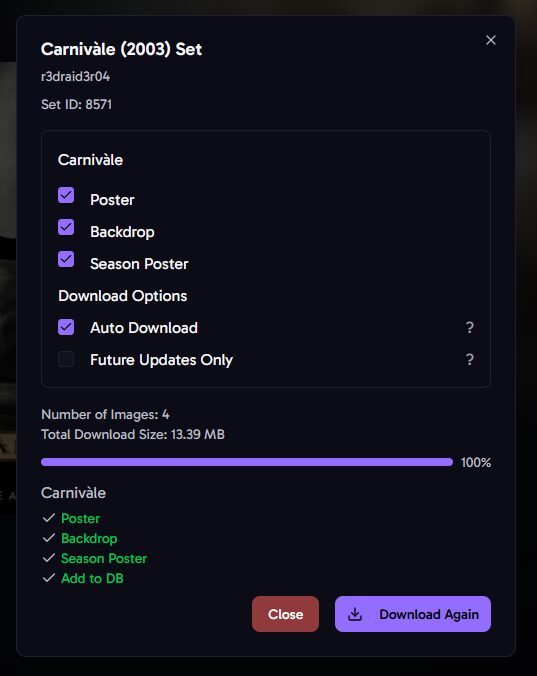
La sélection d’un set de série offre plusieurs choix : – Poster : l’affiche de la série – Backdrop : l’image d’arrière plan si vous avez activé l’option dans Plex/.Jellyfin – Season poster : les affiches des saisons – Auto DL : vérifiera périodiquement les nouvelles mises à jour de cet ensemble. C’est utile si vous souhaitez télécharger et appliquer automatiquement les nouvelles titlecards ajoutées lors de futures mises à jour de cet ensemble. C’est à ça que cert le cron entré dans la configuration.
– Future updates ONLY : ne téléchargera rien pour le moment. C’est utile si vous avez déjà téléchargé l’ensemble et que vous souhaitez uniquement appliquer les mises à jour futures. Par exemple uniquement 1x par jour.
Notez qu’il n’y a pas toujours de backdrop de proposé.
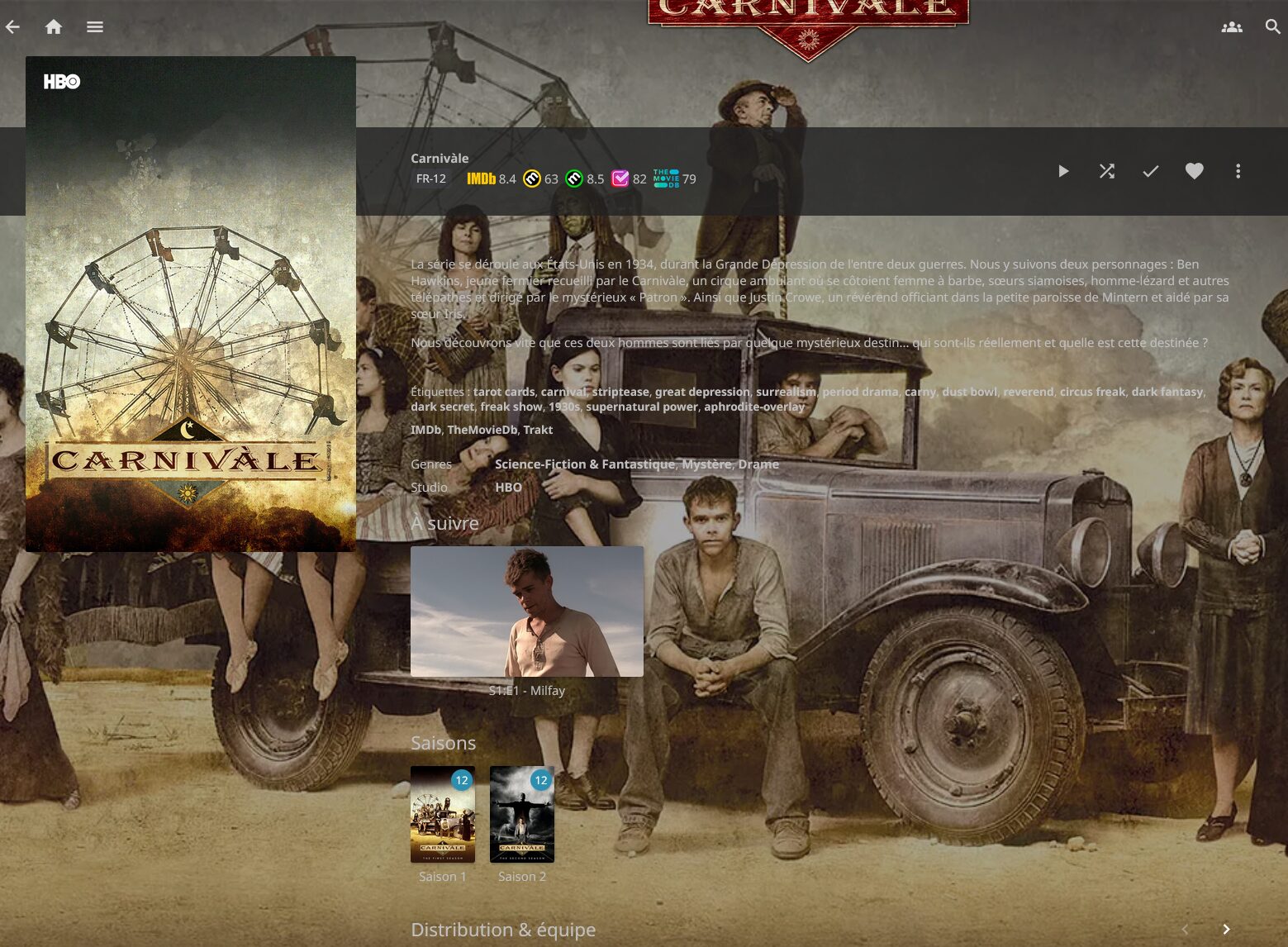
Et je constate la mise à jour dans la foulée sur Jellyfin
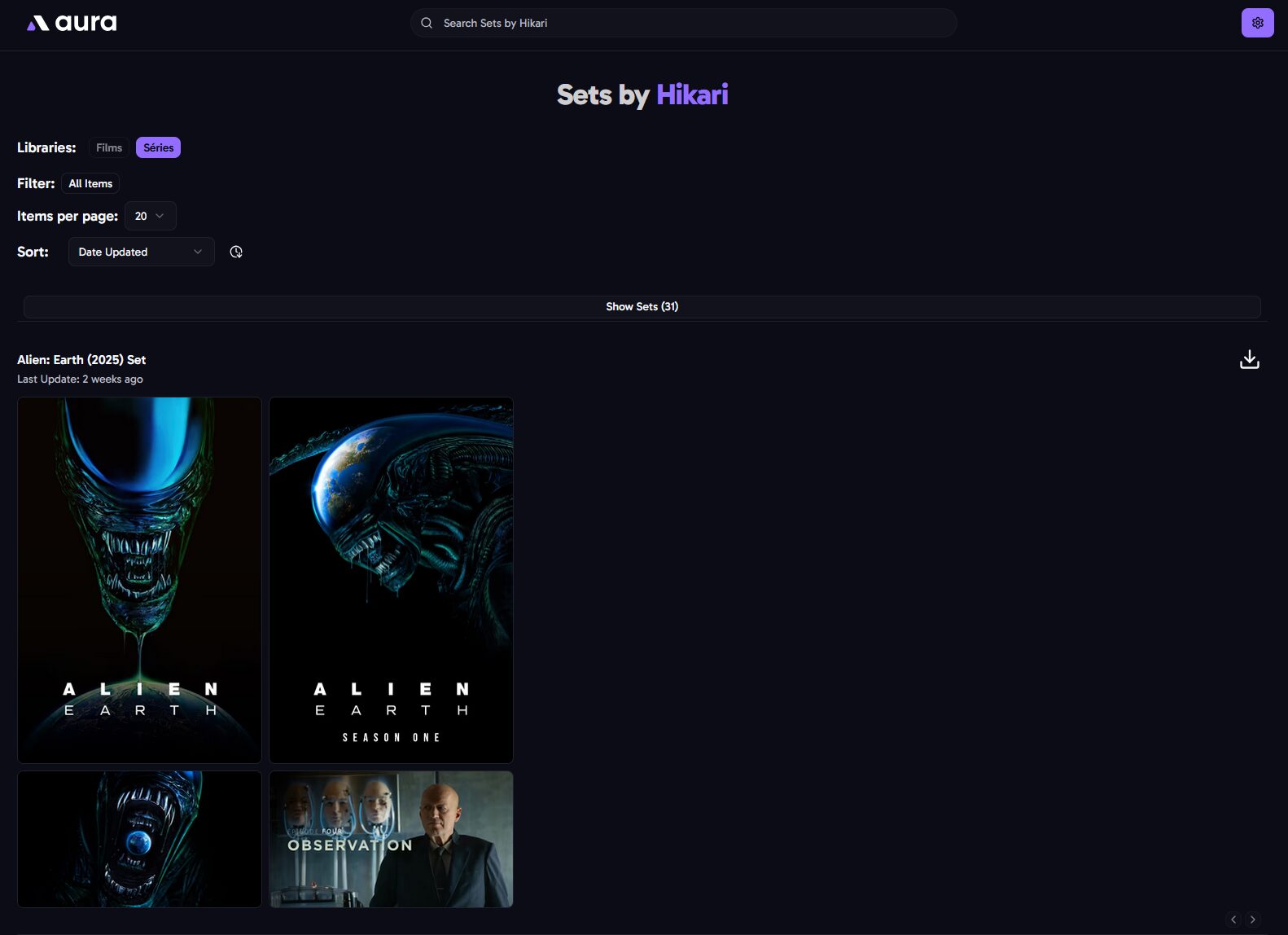
On peut parcourir les sets proposés par un utilisateur par rapport à nos contenus indexés par Aura, pratique si on apprécie son travail et qu’on veut en profiter pour d’autres séries ou films.

 Connexion
 Compatibilité multi-serveurs : fonctionne avec Plex, Emby et Jellyfin.
 Navigation visuelle : prévisualisez les visuels dans une interface claire et organisée.
 Mises à jour automatiques : enregistrez les ensembles d’images choisis et gardez-les synchronisés automatiquement.
 Stockage local : possibilité d’enregistrer les images à côté de vos fichiers multimédias pour un accès facile.
 Support Docker : déploiement simple avec Docker ou docker-compose.